|
Wizards / Covariance Matrix Wizard |
Selecting the Covariance Matrix Wizard from the Statistics menu brings up the following dialog box:
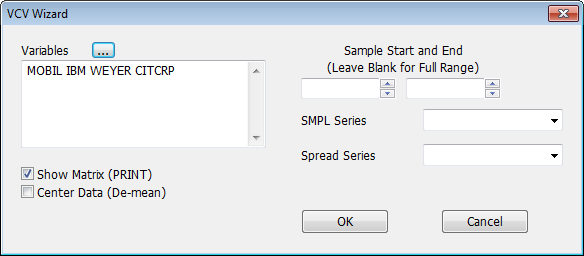
This generates a VCV instruction, which computes a variance covariance matrix for a list of series.
Variables
You can type in the list of series names in this large text box, separating each series with a space. If you click on the series list button  , RATS will display the Select Variables dialog box, which you can use to select from a list of the series available in memory.
Show Matrix (PRINT)
Make sure Show Matrix is checked if you want RATS to display the computed VCV matrix in the output window.
Center Data (De-mean)
Check the Center Data box if you want RATS to remove the means from the series before computing the covariance matrix.
Sample Start and End
Use these fields to set a specific starting and/or ending date for the computation.
SMPL Series
Use this option to select a series to be used for the SMPL Option.
Spread Series
See SPREAD option for details.
Copyright © 2026 Thomas A. Doan